
Web Building at UMW
  • Returning Users:
  • Sites@UMW Sign-In
  • |
  • Domain of One’s Own Sign-In
  • |
  • Get Support
  • Menu Menu

Website Building at UMW

Getting Started

  • Domain of One’s Own Overview
  • Before You Sign Up
  • Best Practices for Choosing a Domain Name
  • Getting to Know Your Web Space
  • I Set Up My Account, Now What?
  • Introduction to cPanel
  • Accounts & Passwords

Control Panel

  • Introduction to cPanel
  • Creating a Subdomain
  • Subdomains vs Subdirectories
  • Cleaning up Storage Space
  • Adding a Redirect
  • Adding a New Domain Name

Web Applications

  • Sitejet Builder: Getting Started
  • What is a Web Application?
  • Installing Applications with Installatron

Wordpress

  • Introduction to WordPress Overview
  • Installing WordPress
  • WordPress Editor
  • WordPress Settings
  • Posts and Pages
  • Categories, Tags, and Menus
  • Themes and Customizing Your Site
  • Classic vs Block Themes
  • Basic Privacy
  • Changing Your Display Name
  • Themes and Plugins – Recommendations
  • Uninstalling WordPress
  • Best Practices for Handling Media
  • Cloning a WordPress Installation
  • Creating Footnotes in WordPress
  • Adding a New User to a WordPress Site
  • Resetting your WordPress Password
  • Migrating Sites@UMW to DoOO
  • Feeds (RSS)

Additional Resources

  • Achieving Digital Accessibility on Domain of One’s Own and Sites@UMW 
  • Technical Details: What is the server set-up like?
  • Sites@UMW or Domain of One’s Own?
  • Troubleshooting
  • Accessible Web Design

Web Security

  • Accounts & Passwords
  • Securing Your Site with SSL

Leaving UMW Domains

  • Leaving Domain of One’s Own: Overview
  • Leaving Domain of One’s Own: The Practical Steps

Omeka

  • Omeka Guide
  • Troubleshooting Omeka
View Categories

Introduction to cPanel

Your web hosting account on Domain of One’s Own is managed through a control panel interface called cPanel. cPanel is an industry-standard tool for managing web hosting. Each time you log in to your Domain of One’s Own account you will be directed to your cPanel dashboard.

Through your cPanel dashboard you can do all kinds of things with your webspace including the following:

  • Install Web applications
  • Create email accounts
  • View and manage files in your space
  • Create subdomains
  • Create and configure FTP accounts
  • Review access logs for your site
  • Manually manage and configure databases

Your cPanel dashboard is divided into sections, making it easy to locate the different tools and services available to you. These sections can be minimized and drag-and-dropped into whichever order you wish them to appear. If you only ever want to see a couple of sections that you regularly use each time you log in you can drag and drop these sections to the top of your dashboard and minimize the other sections that you are less likely to use on a regular basis.

Many of the tutorials on this site walk you through particular tasks in cPanel, but we encourage you to explore on your own, as well.

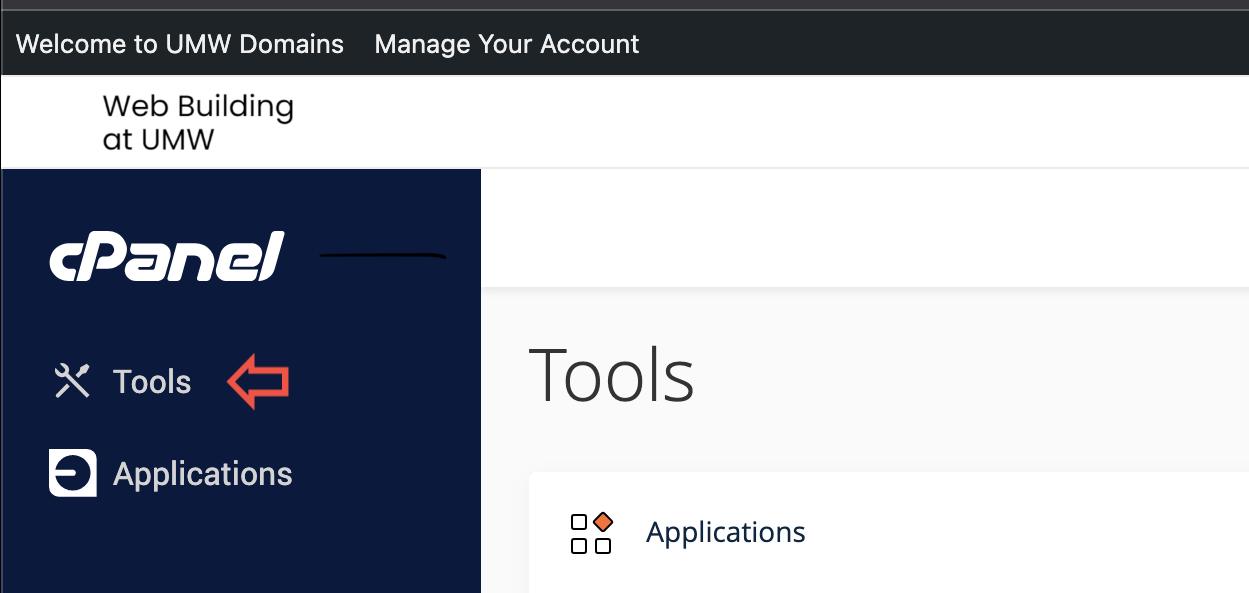
If you ever get lost in your cPanel, you can click the ‘Tools’ button which will take you back to your main dashboard area (see image below).
Reviewed by Haley Gosman 10/3/24

Powered by BetterDocs

University of Mary Washington logo

Web Building at UMW

About

Terms of Service

Cleaning up Storage Space Subdomains vs Subdirectories
Scroll to top