
Web Building at UMW
  • Returning Users:
  • Sites@UMW Sign-In
  • |
  • Domain of One’s Own Sign-In
  • |
  • Get Support
  • Menu Menu

Website Building at UMW

Getting Started

  • Domain of One’s Own Overview
  • Before You Sign Up
  • Best Practices for Choosing a Domain Name
  • Getting to Know Your Web Space
  • I Set Up My Account, Now What?
  • Introduction to cPanel
  • Accounts & Passwords

Control Panel

  • Introduction to cPanel
  • Creating a Subdomain
  • Subdomains vs Subdirectories
  • Cleaning up Storage Space
  • Adding a Redirect
  • Adding a New Domain Name

Web Applications

  • Sitejet Builder: Getting Started
  • What is a Web Application?
  • Installing Applications with Installatron

Wordpress

  • Introduction to WordPress Overview
  • Installing WordPress
  • WordPress Editor
  • WordPress Settings
  • Posts and Pages
  • Categories, Tags, and Menus
  • Themes and Customizing Your Site
  • Classic vs Block Themes
  • Basic Privacy
  • Changing Your Display Name
  • Themes and Plugins – Recommendations
  • Uninstalling WordPress
  • Best Practices for Handling Media
  • Cloning a WordPress Installation
  • Creating Footnotes in WordPress
  • Adding a New User to a WordPress Site
  • Resetting your WordPress Password
  • Migrating Sites@UMW to DoOO
  • Feeds (RSS)

Additional Resources

  • Achieving Digital Accessibility on Domain of One’s Own and Sites@UMW 
  • Technical Details: What is the server set-up like?
  • Sites@UMW or Domain of One’s Own?
  • Troubleshooting
  • Accessible Web Design

Web Security

  • Accounts & Passwords
  • Securing Your Site with SSL

Leaving UMW Domains

  • Leaving Domain of One’s Own: Overview
  • Leaving Domain of One’s Own: The Practical Steps

Omeka

  • Omeka Guide
  • Troubleshooting Omeka
View Categories

Creating a Subdomain

If you need to create a subdomain on Domain of One’s Own we recommend you follow this video to get started:

How to Create a Subdomain #

  1. Go to umw.domains and log into your Domain of One’s Own account using your NetID and Password. 
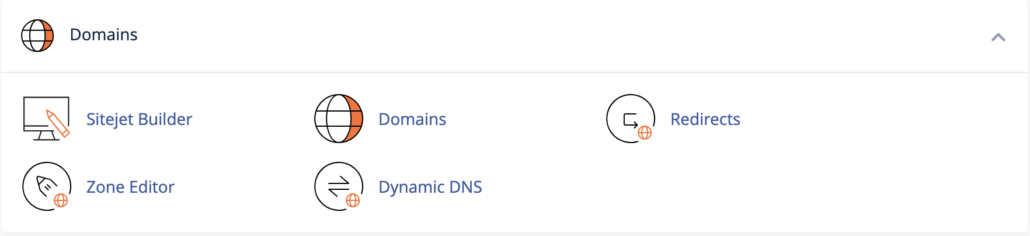
  2. Once you’re in cPanel, scroll down to the “Domains” section and click on “Domains.”
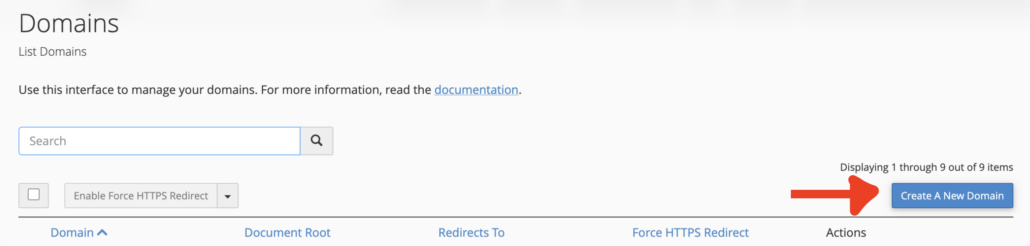
  1. On the Domains page you’ll select the “Create A New Domain” button.
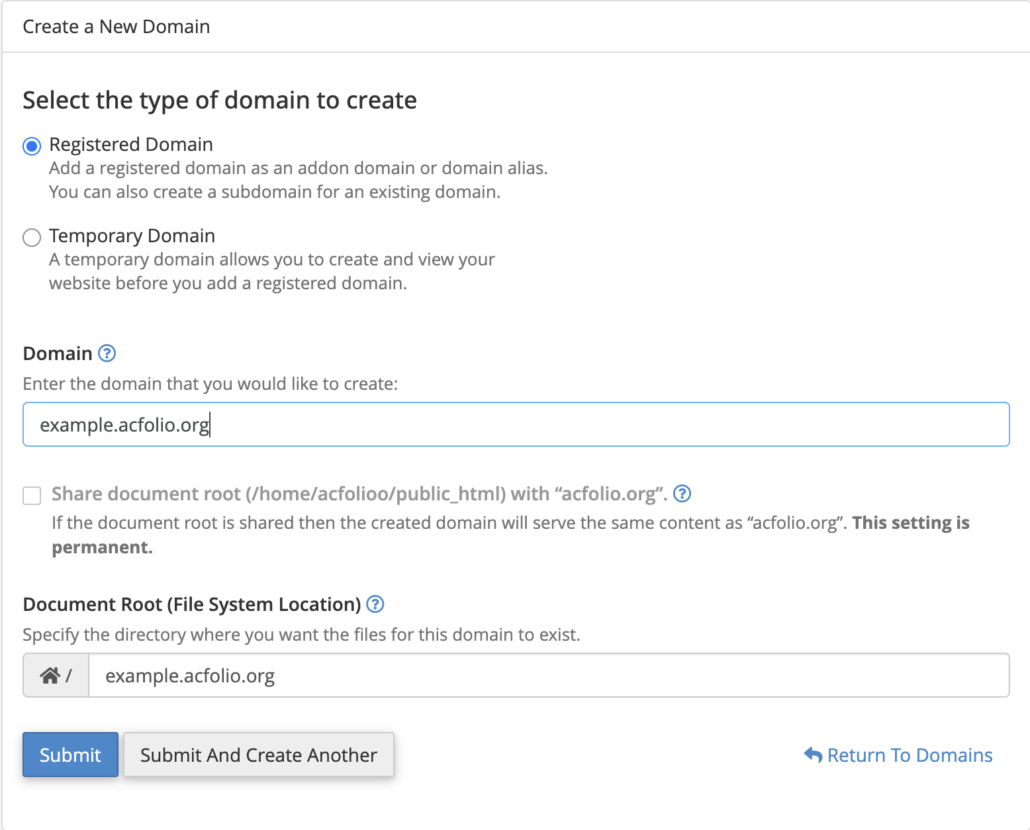
  1. Select “Registered Domain” as your domain type.
  2. In the Domain field write the entire URL that you would like to create for example example.yourdomain.com. It is key that you include the full domain name, including the root URL, not just the new subdomain name.
    • DO NOT change anything in the “Document Root” field.
  3. Click “Submit” and you’ll have a new subdomain! 
Installing Applications #

Now that you’ve created a subdomain you’ll need to put something there. You can install a number of applications (including WordPress) to the subdomain and the steps are exactly like installing to your main domain except this time when you install an application, you will install it on your subdomain. Learn more about easily installing applications on our “Installing Applications with Installatron” guide.

Reviewed by Abby Firestone 06/23/26

Powered by BetterDocs

Table of Contents
  • How to Create a Subdomain
  • Installing Applications
University of Mary Washington logo

Web Building at UMW

About

Terms of Service

Troubleshooting Cloning a WordPress Installation
Scroll to top